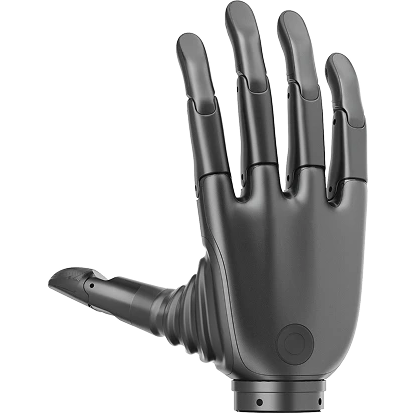
Revo 3 SDK 快速开始
本页使用 Revo 3 SDK v2.x 随附的 Python 和 C++ quickstart 示例。默认命令仅执行设备发现和只读状态读取;只有显式传入 --move 才会发送运动指令。
前置准备
- 已完成安装与环境配置。
- Revo 3 灵巧手已正确连接电源,并通过支持的 Modbus RTU (RS-485) 或 CAN FD 适配器接入上位机。
- Linux 用户已获得串口或 CAN 设备读写权限(如加入
dialout组)。 - 进行运动测试前,机械手活动范围内没有人员或结构干涉,并可随时切断动力电源。
常见端口名:
| 系统 | 示例 |
|---|---|
| Linux | /dev/ttyUSB0 |
| macOS | /dev/cu.usbserial-* |
| Windows | COM3 |
1. 扫描与发现设备
Python 设备发现示例会扫描可用总线端口并列出在线设备,不会发送任何运动控制指令:
bash
python examples/python/revo3/discover_devices.py连接多台设备时可增加 --scan-all。如已知端口,可在 quickstart 中通过 --port 指定。
2. 首次连接与只读检查
默认快速开始命令仅建立连接并读取设备元数据、关节布局、实时状态(State)与健康诊断(Health),验证通信链路与硬件状态正常。
运行命令
bash
python examples/python/revo3/quickstart.py --port /dev/ttyUSB0bash
./examples/c/build/demo/quickstart --port /dev/ttyUSB0预期输出日志
log
Device:   <SERIAL_NUMBER> (Left)
Slave ID: <SLAVE_ID>
Model: Revo3Ultra | Hardware revision: <HW_REV> | Firmware: <FW_VER>
Layout: revo3-ultra-v1 (21 DOF)
State timestamp: <SEC>.<NSEC> (Monotonic)
Health: safety=<SAFETY_STATE>, system_state=0, error_code=0, faulted_motor_count=0
核心代码实现
python
import asyncio

from bc_revo3_sdk import main_mod as sdk


async def main():
    manager = sdk.Manager()
    hand = None
    try:
        # 自动发现并连接设备
        hand = await manager.connect_auto()
        device_info = hand.device_info
        state = await hand.state.snapshot()
        health = await hand.health.snapshot()

        print(f"Connected to: {device_info.serial_number if device_info else 'unknown'}")
        print("Positions (deg):", state.positions_deg)
        print("Safety State:", health.safety_state)
    except sdk.SdkError as error:
        print(
            f"SDK error: {error}; effect={error.operation_effect}; "
            f"recovery={error.recovery_requirement}"
        )
        raise
    finally:
        if hand is not None:
            await hand.close()
        await manager.close()


asyncio.run(main())
cpp
#include <revo3/revo3.hpp>

#include <cstdio>
#include <stdexcept>

int main() {
  try {
    revo3::Manager manager;
    auto hand = manager.connect_auto();
    const auto info = hand.device_info();
    const auto layout = hand.joint_layout();
    if (!layout) {
      throw std::runtime_error("Joint layout is unavailable");
    }
    const auto state = hand.state().snapshot();
    const auto health = hand.health().snapshot();

    std::printf("Connected to %s with %zu motor values; safety=%u\n",
                info.serial_number.c_str(),
                static_cast<std::size_t>(layout->joint_count),
                static_cast<unsigned>(health.safety_state));
    return 0;
  } catch (const revo3::SdkError &error) {
    std::fprintf(stderr, "Revo 3 error: %s\n", error.what());
    return 1;
  }
}
生命周期说明
- Python:请在
finally块中调用hand.close()与manager.close()释放底层资源。 - C++:
Hand和Manager采用 RAII 模式,离开作用域时会自动析构并释放资源,也可显式调用close()。
3. 首次运动测试
先确认设备型号、关节布局、State 和 Health 没有故障,再显式启用运动:
bash
python examples/python/revo3/quickstart.py --port /dev/ttyUSB0 --movebash
./examples/c/build/demo/quickstart --port /dev/ttyUSB0 --move安全与异步运动提示
- 健康预检保护:示例默认在健康预检发现异常时拒绝运动。请勿在常规开发中使用
--allow-unhealthy强行覆盖。 - 异步等待结果:运动命令返回
MotionHandle,不表示物理运动已经完成。等待结果时必须设置超时。 - 不确定状态处理:若错误的
operation_effect为Indeterminate,指令可能已经生效;先读取 State 确认实际位置,不要直接重复下发。
后续入口
- API 导航
- 完整 API 手册
- 从 Revo 3 SDK v1.x 迁移到 v2.x
- Python 示例:SDK 包中的
examples/python/revo3/ - C/C++ 示例:SDK 包中的
examples/c/