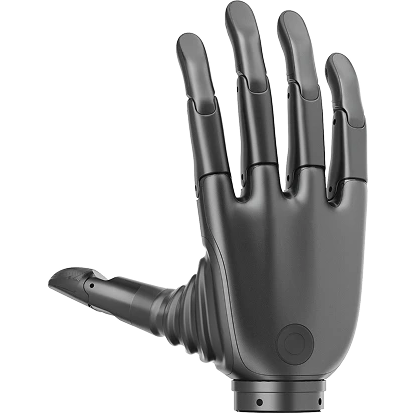
Python SDK - Revo 2 灵巧手
系统要求
- Linux: Ubuntu 20.04/22.04 LTS 及以上 (支持 x86_64 / aarch64 架构)
- macOS: 10.15+
- Windows: 10/11
- Python: 3.9 ~ 3.12 (推荐 Conda)
快速开始
克隆仓库
shell
git clone https://github.com/BrainCoTech/brainco-hand-sdk.gitshell
git clone git@github.com:BrainCoTech/brainco-hand-sdk.git安装与配置
shell
# 进入 Python 目录
cd brainco-hand-sdk/python

# 激活 Conda 环境(推荐)
conda activate py310

# 安装 SDK 依赖
pip install -r requirements.txt --index-url https://pypi.org/simple/

# 如果无法通过 PyPI 安装,可手动下载 .whl 文件安装
# 下载地址: https://pypi.org/project/bc-stark-sdk/#files
pip install --force-reinstall '/path/to/bc_stark_sdk-x.x.x-cp39-abi3-manylinux_2_31_x86_64.whl'

# 配置串口设备权限
# Linux 系统中,串口设备(如 /dev/ttyUSB0)通常归属于 dialout 用户组
# 将当前用户添加到 dialout 组
sudo usermod -aG dialout $USER
# 注意:添加后需要重新登录才能生效

# 运行示例
cd revo2
python revo2_ctrl.py          # 单手控制
python revo2_touch.py         # 触觉传感器(触觉版)
python revo2_ctrl_multi.py    # 多手控制
python revo2_action_seq.py    # 动作序列
python revo2_cfg.py           # 设备配置

# CANFD 通信协议(推荐使用统一示例入口)
cd ../demo
python hand_demo.py -f /dev/ttyUSB0 1000000 5000000 127  # ZQWL CANFD
python hand_demo.py -B can0 127                          # SocketCAN CANFD (Linux)
python hand_dfu.py /path/to/firmware.bin                 # 固件 OTA

# EtherCAT 通信协议
cd revo2_ethercat
python ec_sdo.py              # SDO 读取/配置
python ec_pdo.py              # PDO 读取关节状态,控制设备
python ec_dfu.py              # 固件 OTA
shell
# 安装步骤同 Ubuntu
# 注意:macOS 串口设备名称通常为 /dev/tty.usbserial-xxx
# macOS 不支持 SocketCAN / EtherCAT;ZQWL CANFD 可按适配器支持情况使用
shell
# 如果 USB 驱动无法识别,请在设备管理器中查看串口名称
# 串口驱动下载: https://app.brainco.cn/universal/stark-serialport-prebuild/driver/CH340-drivers.zip

# 其他安装步骤同 Ubuntu
# 注意:Windows 串口设备名称通常为 COM3, COM4 等
# Windows 不支持 EtherCAT 通信协议
示例代码
SDK 提供了丰富的示例代码,涵盖不同通信协议和应用场景。
跨平台示例(推荐)⭐
统一的跨平台示例,支持自动检测设备和多种通信协议。
| 示例 | 说明 |
|---|---|
| hand_demo.py | 综合演示 |
| hand_monitor.py | 实时数据监控 |
| hand_dfu.py | 固件升级 |
Modbus-RTU 协议
单手/双手控制
触觉传感器
动作序列(手势)
EtherCAT 协议
EtherCAT 命令行指令示例
shell
# 查看 EtherCAT 版本
# 推荐使用 igH EtherCAT Master 1.6.x 版本(最新稳定版)
❯ ethercat version
IgH EtherCAT master 1.6.6 1.6.6-5-g64899015

# 注意:如果您的 EtherCAT 版本为 1.5.x,请联系技术支持
# SDK 默认针对 1.6.x 版本编译,1.5.x 版本可能存在兼容性问题
❯ ethercat version
IgH EtherCAT master 1.5.3 1.5.3

# 查看主站状态
❯ systemctl status ethercat

# 查看设备
❯ ethercat slave
0  0:0  PREOP  +  BrainCo-Revo2Slave

# SDO - 读取固件版本号
❯ ethercat upload -t string -p 0 0x8000 0x11  # Wrist FW version,手腕板固件
0.0.4
❯ ethercat upload -t string -p 0 0x8000 0x13  # CTRL FW version,控制板固件
0.0.4

# PDO - 读取关节位置
❯ ethercat upload -t raw -p 0 0x6000 0x01 | xxd -r -p | od -An -t u2 --endian=little -w2

# 为 Python 程序设置权限
sudo setcap cap_sys_nice,cap_net_raw=eip /path/to/miniconda3/envs/py310/bin/python3.10
关于 EtherCAT 版本
- 推荐版本:igH EtherCAT Master 1.6.x(最新稳定版)
- SDK 兼容性:SDK 默认针对 1.6.x 版本编译
- 1.5.x 版本:如果您使用的是 1.5.x 版本,请联系技术支持获取兼容版本
- 纯 C++ 实现:推荐使用 纯 C++ EtherCAT 示例(不依赖 SDK,直接使用 EtherCAT 库)
PDO 通信
SDO 通信
固件升级
API 参考
API 查阅与代码自动补全建议以 bc-stark-sdk (v2.x) 生成的完整类型存根为准:下载 main_mod.pyi。下方保留常用接口的快速参考。
API 快速参考
连接管理(推荐)
| API | 说明 |
|---|---|
libstark.auto_detect() | 自动检测设备(支持所有协议)⭐ |
libstark.init_from_detected() | 从检测结果初始化设备 ⭐ |
libstark.close_device_handler() | 关闭设备连接(统一接口)⭐ |
libstark.list_zqwl_devices() | 列出 ZQWL CAN/CANFD 设备 ⭐ |
libstark.init_zqwl_canfd() | 初始化 ZQWL CANFD 设备 |
libstark.init_zqwl_can() | 初始化 ZQWL CAN 2.0 设备 |
libstark.close_zqwl() | 关闭 ZQWL 设备 |
连接管理(传统)
| API | 说明 |
|---|---|
libstark.get_sdk_version() | 获取 SDK 版本 |
libstark.list_available_ports() | 列出可用串口 |
libstark.modbus_open() | 打开 Modbus 连接 |
libstark.modbus_close() | 关闭 Modbus 连接 |
libstark.init_device_handler() | 创建设备处理器 |
device.close() | 关闭设备连接 |
libstark.auto_detect_device() | 自动检测设备(仅 Modbus) |
libstark.auto_detect_modbus_revo2() | 自动检测 Revo 2 设备(仅 Modbus) |
设备信息
| API | 说明 |
|---|---|
device.get_device_info() | 获取设备完整信息 |
device.is_touch_hand() | 判断是否支持触觉 ⭐ |
device.uses_revo1_motor_api() | 判断是否使用 Revo 1 电机 API ⭐ |
device.uses_revo2_motor_api() | 判断是否使用 Revo 2 电机 API ⭐ |
device.uses_pressure_touch_api() | 判断是否使用压力触觉 API ⭐ |
device.get_device_sn() | 获取设备序列号 |
device.get_device_fw_version() | 获取固件版本 |
device.get_sku_type() | 获取 SKU 类型 |
device.get_serialport_cfg() | 获取串口配置 |
device.get_canfd_baudrate() | 获取 CANFD 波特率 |
device.set_serialport_baudrate() | 设置波特率 |
device.set_slave_id() | 设置从站 ID |
设备配置
| API | 说明 |
|---|---|
device.get_force_level() | 获取力度等级 |
device.set_force_level() | 设置力度等级 |
device.get_auto_calibration_enabled() | 获取自动校准状态 |
device.set_auto_calibration() | 设置自动校准 |
device.calibrate_position() | 手动校准位置 |
device.get_turbo_mode_enabled() | 获取 Turbo 模式状态 |
device.set_turbo_mode_enabled() | 设置 Turbo 模式 |
device.get_turbo_config() | 获取 Turbo 配置 |
device.set_turbo_config() | 设置 Turbo 配置 |
device.reset_default_gesture() | 恢复默认手势 |
device.reset_default_settings() | 恢复默认设置 |
device.reboot() | 重启设备 |
电机控制 - 位置(统一范围 0-1000)
| API | 说明 |
|---|---|
device.set_finger_position() | 设置单个手指位置 |
device.set_finger_position_with_millis() | 设置位置(指定时间)⭐ |
device.set_finger_position_with_speed() | 设置位置(指定速度)⭐ |
device.set_finger_positions() | 设置所有手指位置 |
device.set_finger_positions_and_durations() | 设置位置和时间 ⭐ |
device.set_finger_positions_and_speeds() | 设置位置和速度 ⭐ |
device.get_finger_positions() | 获取所有手指位置 |
电机控制 - 速度(统一范围 -1000~+1000)
| API | 说明 |
|---|---|
device.set_finger_speed() | 设置单个手指速度 |
device.set_finger_speeds() | 设置所有手指速度 |
device.get_finger_speeds() | 获取所有手指速度 |
电机控制 - 电流(统一范围 -1000~+1000)
| API | 说明 |
|---|---|
device.set_finger_current() | 设置单个手指电流 |
device.set_finger_currents() | 设置所有手指电流 |
device.get_finger_currents() | 获取所有手指电流 |
电机控制 - PWM(统一范围 -1000~+1000)⭐
| API | 说明 |
|---|---|
device.set_finger_pwm() | 设置单个手指 PWM |
device.set_finger_pwms() | 设置所有手指 PWM |
电机状态
| API | 说明 |
|---|---|
device.get_motor_status() | 获取电机综合状态 |
device.get_motor_state() | 获取电机运行状态 |
电机设置 ⭐
| API | 说明 |
|---|---|
device.get_finger_unit_mode() | 获取单位模式 |
device.set_finger_unit_mode() | 设置单位模式 |
device.get_all_finger_settings() | 获取所有手指设置 |
device.get_finger_settings() | 获取单个手指设置 |
device.set_finger_settings() | 设置单个手指设置 |
device.get_finger_min_position() | 获取最小位置限制 |
device.set_finger_min_position() | 设置最小位置限制 |
device.get_finger_max_position() | 获取最大位置限制 |
device.set_finger_max_position() | 设置最大位置限制 |
device.get_finger_max_speed() | 获取最大速度限制 |
device.set_finger_max_speed() | 设置最大速度限制 |
device.get_finger_max_current() | 获取最大电流限制 |
device.set_finger_max_current() | 设置最大电流限制 |
device.get_finger_protected_current() | 获取保护电流 |
device.set_finger_protected_current() | 设置保护电流 |
device.get_finger_protected_currents() | 获取所有保护电流 |
device.set_finger_protected_currents() | 设置所有保护电流 |
device.get_thumb_aux_lock_current() | 获取拇指辅助锁定电流 |
device.set_thumb_aux_lock_current() | 设置拇指辅助锁定电流 |
触觉传感器
| API | 说明 |
|---|---|
device.get_touch_sensor_enabled() | 获取触觉传感器启用状态 |
device.get_touch_sensor_fw_versions() | 获取触觉传感器固件版本 |
device.get_touch_sensor_raw_data() | 获取触觉原始数据 |
device.get_touch_sensor_status() | 获取触觉传感器状态 |
device.get_single_touch_sensor_status() | 获取单个传感器状态 |
device.touch_sensor_setup() | 设置触觉传感器 |
device.touch_sensor_reset() | 重置触觉传感器 |
device.touch_sensor_calibrate() | 校准触觉传感器 |
Modulus 触觉传感器 ⭐
| API | 说明 |
|---|---|
device.set_modulus_touch_data_type() | 设置数据类型 |
device.get_modulus_touch_data_type() | 获取数据类型 |
device.get_modulus_touch_summary() | 获取触觉摘要 |
device.get_single_modulus_touch_summary() | 获取单指触觉摘要 |
device.get_modulus_touch_data() | 获取触觉详细数据 |
device.get_single_modulus_touch_data() | 获取单指触觉数据 |
Force3D 触觉传感器 ⭐
| API | 说明 |
|---|---|
device.get_force3d_touch_summary() | 获取 4 指触觉摘要(FxFyFz) |
device.get_force3d_finger_array() | 获取单指完整阵列数据(31路) |
面阵压力传感器 (ArrayPressure) ⭐
| API | 说明 |
|---|---|
device.get_array_pressure_touch_data() | 获取全面阵压力数据 |
device.set_array_pressure_sleep() | 设置面阵传感器休眠状态 |
高性能数据采集 ⭐
| API | 说明 |
|---|---|
DataCollector.new_basic() | 创建基础采集器(仅电机) |
DataCollector.new_capacitive() | 创建电容触觉采集器 |
DataCollector.new_pressure_summary() | 创建压力摘要采集器 |
DataCollector.new_pressure_detailed() | 创建压力详细采集器 |
DataCollector.new_pressure_hybrid() | 创建混合模式采集器 |
DataCollector.new_force3d() | 创建 Force3D 采集器 |
DataCollector.new_array_pressure() | 创建面阵压力采集器 |
DataCollector.new_v3_basic() | 创建 Revo3 采集器(仅电机) |
DataCollector.new_v3_full() | 创建 Revo3 全参数采集器 |
collector.start() | 启动数据采集 |
collector.stop() | 停止数据采集 |
collector.wait() | 等待采集线程结束 |
collector.is_running() | 检查是否正在运行 |
MotorStatusBuffer | 基础电机状态缓冲区 |
TouchStatusBuffer | 电容触觉状态缓冲区 |
PressureSummaryBuffer | 压力摘要缓冲区 |
PressureDetailedBuffer | 压力详细缓冲区 |
V3MotorStatusBuffer | Revo3 电机状态缓冲区 |
V3TouchDataBuffer | Revo3 触觉缓冲区 |
Force3DTouchDataBuffer | Force3D 状态缓冲区 |
ArrayPressureTouchDataBuffer | 面阵压力状态缓冲区 |
LED、蜂鸣器、震动 ⭐
| API | 说明 |
|---|---|
device.get_led_enabled() | 获取 LED 启用状态 |
device.set_led_enabled() | 设置 LED 启用状态 |
device.get_buzzer_enabled() | 获取蜂鸣器启用状态 |
device.set_buzzer_enabled() | 设置蜂鸣器启用状态 |
device.get_vibration_enabled() | 获取震动启用状态 |
device.set_vibration_enabled() | 设置震动启用状态 |
动作序列
| API | 说明 |
|---|---|
device.get_action_sequence() | 获取动作序列 |
device.transfer_action_sequence() | 上传动作序列 |
device.save_action_sequence() | 保存动作序列到闪存 |
device.run_action_sequence() | 执行动作序列 |
device.clear_action_sequence() | 清除自定义动作序列 |
EtherCAT 专用 ⭐
| API | 说明 |
|---|---|
device.ec_setup_sdo() | 设置 SDO |
device.ec_reserve_master() | 预留主站 |
device.ec_start_loop() | 启动循环 |
device.ec_stop_loop() | 停止循环 |
device.ec_start_dfu() | 启动固件升级 |
固件升级
| API | 说明 |
|---|---|
device.start_dfu() | 启动固件升级 |
通信回调
| API | 说明 |
|---|---|
libstark.set_modbus_read_holding_callback() | 设置 Modbus 读保持寄存器回调 |
libstark.set_modbus_read_input_callback() | 设置 Modbus 读输入寄存器回调 |
libstark.set_modbus_write_callback() | 设置 Modbus 写回调 |
libstark.set_can_rx_callback() | 设置 CAN 接收回调 |
libstark.set_can_tx_callback() | 设置 CAN 发送回调 |
⭐ 标记表示 Revo 2 专有或增强功能