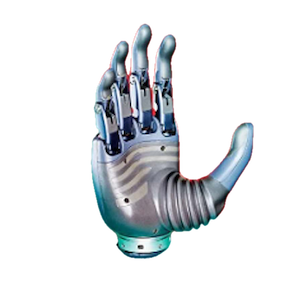
Touch data
Begin with TouchLayout. Revo3 models and BOM variants can expose different modules, signals, and point counts; a single hard-coded layout is not portable.
- Read
hand.touch.layout. - Inspect module ID, region, layout ID, point count, and signals.
- Select read and value modes when required.
- Use
snapshot(),snapshot(module_indices=[...]),module_snapshot(), orsubscribe()to read tactile data. - Check each module's SampleState before optional fields.
TouchModuleData.points can be absent when a module is disabled, unavailable, not sampled, failed, or not represented as a point array in the current mode. Missing data is not a valid all-zero sample.
SDK 2.1.0 resolves the Ultra Touch topology from the canonical three-character product code derived from the full serial number when available: UT1 selects the pressure-array topology, while UT2 selects the high-density tactile-array topology. If the physical unit and the detected layout disagree, verify the complete serial number and SDK version first. Older pressure-array hardware may return all zeros from runtime point-count registers that it does not implement; SDK 2.1.0 falls back to the fixed layout instead of caching the all-zero response as a valid layout. Before applying a manual high-density-array override, the SDK performs a read-only validation of all 11 module point counts and rejects missing or invalid metadata. A changing GUI FPS confirms only that the read loop is running; it does not by itself prove that tactile values are valid.
36- and 71-point palm compatibility
SDK 2.2.1 selects the tactile topology from a recognized three-character product code. Legacy or unknown variants use read-only metadata detection. Pressure-array point counts come from runtime registers, with data addresses selected for the layout, supporting both legacy 36-point and newer 71-point palms. Firmware without valid point-count metadata retains the fixed-layout fallback. Full snapshots, selective snapshots, module snapshots, and subscriptions use this runtime layout; applications do not need to identify the model again or hard-code 36-point reads.
Starting with 2.2.1, connection initialization reads runtime point counts for supported tactile arrays before returning. The first layout is ready for snapshots and subscriptions without first calling await hand.touch.point_counts(). Devices without arrays skip this read. Older firmware retains the existing fallback; point-count initialization failures fail the connection.
Python hand.touch.layout and its modules are snapshots. After explicitly calling set_layout() or querying point counts again, obtain the layout and module objects again; cached objects do not update automatically. A module exposes its count through the module.point_count property. Query runtime point counts with the asynchronous await hand.touch.point_counts() method.
point_count is the array length, not a physical coordinate map. Heatmaps need a spatial map matching layout_id; do not apply the legacy 36-point coordinates to 71-point data. The current public GUI example still uses the 36-point palm coordinates and displays only the first 36 values. The SDK can still read all 71 points. See the GUI limitations.
Selective snapshots
snapshot()reads every enabled module in the current layout and returns aTouchFrame.snapshot(module_indices=[...])reads only the requested modules and returns them in requestedmodule_idorder.module_snapshot(module_index)reads one module and returnsTouchModuleDatadirectly.
Selective reads do not change the device enabled_mask. An empty list, duplicate ID, or ID absent from the current layout fails before tactile data is requested. If any selected branch fails, the whole operation fails without returning a partially stitched frame.
Ultra VisionTouch independent channels
Ultra VisionTouch fingertip vision-tactile data is acquired through a separate USB/serial link and dedicated SDK. It is not routed into hand.touch, TouchLayout, or TouchFrame. When a hand also includes primary-link pressure-array or high-density-array finger-pad and palm modules, the Touch API exposes module 0 (palm) and modules 2/4/6/8/10 (Thumb to Pinky finger pads) after read-only discovery confirms the layout. The SDK does not synthesize missing fingertip modules or merge data across the two independent channels.
If array configurations conflict or no valid layout is detected, the tactile interface remains uninitialized for safety. Explicitly configure a layout for the current connection only after verifying the hardware model and BOM; re-verify after reconnecting.
Public operations use the layout's module_id, which may be sparse and need not equal the array index. Taring changes calibration state and must run only under confirmed no-contact conditions. See the telemetry API.
Modes and taring
set_read_mode()changes the data representation returned by the device.set_value_mode()selects ADC or Force values when supported.tare()changes tactile zero state and must run only when the sensor is unloaded as required by the device.tare_status()reports progress for asynchronous taring.
Mode changes and taring are stateful operations. Record the layout, mode, firmware version, and result before and after the operation; do not change them implicitly inside an acquisition loop.