Get SDK
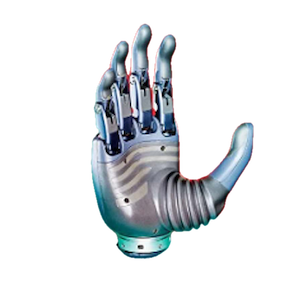
The Revo Hand SDK is a cross-platform development toolkit for BrainCo Revo 3 robotic hands, providing 21-motor independent control, status queries (position, velocity, current, motor status), and firmware OTA upgrade APIs.
System Requirements
The host machine should meet the following specifications:
- Python: 3.9 ~ 3.12
- Linux: Ubuntu 20.04/22.04 LTS (x86_64/aarch64), glibc ≥ 2.31
- macOS: macOS 10.15+
- Windows: Windows 10/11
- Hardware Interface: RS485 module or bus card supporting 5M baud rate
Download & Installation
1. GitHub Repository
Clone the SDK repository before running the examples:
git clone https://github.com/BrainCoTech/brainco-revo3-sdk.git
cd brainco-revo3-sdk2. Python Package Installation
Use a virtual environment (recommended: Conda) to install the Revo 3 SDK:
# Create and activate a Conda virtual environment (Python 3.10 recommended)
conda create -n revo3_env python=3.10 -y
conda activate revo3_env
# Install the Revo 3 core SDK package
pip3 install bc-revo3-sdk==1.1.4💡 Linux System Permissions & Port Latency Tuning
When executing serial communication programs on Linux hosts, please verify the following port access permissions and latency tuning parameters:
- Port Access Permissions (Generic Linux Requirement): Non-
rootusers under Linux do not possess read/write privileges for raw hardware ports (e.g.,/dev/ttyUSB0) by default. To securely open and communicate through the serial port, ensure the current Linux user is permanently added to thedialoutgroup before running the application (restart or log out to apply changes):bashsudo usermod -a -G dialout $USER - Automatic Latency Configuration (SDK Default): The SDK automatically reduces FTDI hardware latency to 1ms on Linux (via
ioctlwithASYNC_LOW_LATENCY). No manual configuration is needed when using the SDK. - Manual Port Tuning (For non-SDK users or Diagnostics): If developers bypass the official SDK (e.g., controlling raw ports using generic third-party Modbus libraries) or are troubleshooting communication latency issues, the following commands can be executed manually to optimize the port latency:bashAlternatively, configure the hardware latency timer to 1ms by writing directly to the device sysfs node:
# Optimize via setserial tool sudo setserial /dev/ttyUSB0 low_latencybashecho 1 | sudo tee /sys/class/tty/ttyUSB0/device/latency_timer
Running Examples
The python/ and c/ directories contain reference examples for the Revo 3. Default baud rate: 5M (5000000 bps). Slave ID: 126 (left hand), 127 (right hand).
1. Python Demos
Navigate into the python/ directory and install the requirements first:
cd python
pip install -r requirements.txt
# Run automatic port & Slave ID scan
python revo3/auto_detect.py
# Run basic motor control demo
python revo3/hand_demo.py
# Run motion trajectory planning
python revo3/hand_trajectory.py
# Run OTA firmware upgrade
python revo3/hand_dfu.py /path/to/firmware.bin
# Launch Qt GUI debug panel (supports mock mode)
python gui/main.py --mock💡 Expected Python Console Output
$ python revo3/hand_demo.py
[2026-05-27 10:10:02.124] [INFO] Stark SDK version 1.1.0 initialized.
[2026-05-27 10:10:02.125] [INFO] Scanning serial port: /dev/ttyUSB0 (Baudrate: 5000000 bps)
[2026-05-27 10:10:02.341] [INFO] Found Revo 3 Dexterous Hand [Right Hand, ID: 127]
[2026-05-27 10:10:02.342] [INFO] Performing initial joint origin calibration sweep...
[2026-05-27 10:10:04.512] [INFO] Calibration complete. All 21 motors successfully zeroed.
[2026-05-27 10:10:04.513] [INFO] Sending command: Move thumb flexion to 50.0°, index to 60.0°
[2026-05-27 10:10:05.102] [INFO] Feedback: Position[Thumb]=49.8°, Current[Thumb]=84mA | Status: MOTOR_RUNNING
[2026-05-27 10:10:05.612] [INFO] Feedback: Position[Thumb]=50.0°, Current[Thumb]=12mA | Status: MOTOR_IDLE
[2026-05-27 10:10:06.000] [INFO] Demo completed. Closing serial port.auto_detect.py: Scans serial ports to discover connected Revo 3 hands and validate ID/baud rate.hand_demo.py: Joint position control and status feedback example.hand_trajectory.py: Multi-finger trajectory planning and coordinated grasping example.hand_dfu.py: OTA firmware upgrade script.gui/main.py: Qt GUI debug tool with control sliders and live waveform plotting.
2. C++ Demos
Compile and run native C++ examples under c/:
# 1. Download core static/dynamic library assets
sh download-lib.sh
# 2. Build the C++ examples project
make -C c
# 3. Run target executables
# Scan device channels
./c/demo/auto_detect
# Run basic control flow
./c/demo/hand_demo
# Run trajectory demonstration
./c/demo/hand_trajectory
# Run local firmware OTA upgrade
./c/demo/hand_dfu firmware.bin💡 Expected C++ Console Output
$ ./c/demo/hand_demo
[STARK INFO] Serial port successfully opened on /dev/ttyUSB0 at 5000000 bps.
[STARK INFO] Connecting to device ID: 127...
[STARK INFO] Device acknowledged. Firmware version: v3.2.14
[STARK INFO] Launching motor sweep calibration...
[STARK SUCCESS] Joint calibration completed in 2.18s.
[STARK INFO] Write [Target: Position] | ID 127 -> Motor[0]=12000, Motor[1]=15000
[STARK INFO] Read [Feedback] | Motor[0]: Pos=12000, Vel=0, Cur=10 | Status=0x01
[STARK INFO] Execution successful. Terminating connection.auto_detect: RS485 channel scan and device detection utility.hand_demo: Motor read/write control and feedback monitoring example.hand_trajectory: Multi-joint smooth trajectory planning example.hand_dfu: Firmware OTA upgrade tool.
Quick Start
The following code demonstrates the minimal workflow to control the hand from scratch: open serial port → write target angles → read status feedback.
# 1. Open serial connection
from bc_revo3_sdk import modbus_open
ctx = modbus_open("/dev/ttyUSB0", 5000000)
slave_id = 1
# 2. Write target angles (degrees) for 21 joints
target_positions = [0.0] * 21
target_positions[0] = 45.5 # Thumb joint
ctx.revo3_set_all_motor_positions(slave_id, target_positions)
# 3. Read 21-joint status feedback
positions = ctx.revo3_get_all_motor_positions(slave_id)
currents = ctx.revo3_get_all_motor_currents(slave_id)
print(f"Thumb pos: {positions[0]} deg, current: {currents[0]} mA")#include "revo3-sdk.h"
// 1. Open RS485 serial port
DeviceHandler* handle = modbus_open("/dev/ttyUSB0", 5000000);
if (!handle) return -1;
// 2. Write target angles for 21 joints
float target_positions[21] = {0.0f};
target_positions[0] = 45.5f;
revo3_set_all_motor_positions(handle, 1, target_positions);
// 3. Read 21-joint status feedback
CRevo3MotorStatusData* status = revo3_get_motor_status_data(handle, 127);
if (status) {
printf("Thumb pos: %f deg, current: %f mA\n", status->positions[0], status->currents[0]);
free_revo3_motor_status_data(status);
}
modbus_close(handle);💡 Production Recommendation: Prefer Trajectory APIs
Directly dispatching step target positions (e.g., revo3_set_all_motor_positions) induces instantaneous current spikes that accelerate mechanical wear on gearboxes and transmissions over time.
For production applications, prefer using the following high-level APIs:
- Quintic Polynomial Trajectory:
revo3_move_finger_trajectory/revo3_move_thumb_trajectory— the SDK computes smooth interpolation internally, eliminating mechanical shock. - Trajectory Replay:
revo3_replay_hand— replays pre-recorded 21-joint trajectory frames at high frequency, with tunable Kp/Kd gains for compliant grasping.
Control Modes Overview
The SDK automatically handles all x100 register scaling and encoding. When calling APIs, pass direct physical float values (angles in degrees like 45.5, velocities in RPM like 50.0, currents in mA like 120.0). No manual conversion is required.
| Mode ID | Mode Name | Parameter | Description |
|---|---|---|---|
| 0 | Position Control | Target Angle (deg) | Drives joints to target positions. |
| 1 | Speed Control | Target Velocity (RPM) | Rotates joints at target speeds. (1 RPM = 6 °/s) |
| 2 | Current Control | Target Current (mA) | Generates specific torque outputs. |
| 4 | Impedance Control | Stiffness (Kp) | Force-position hybrid with stiffness feedback only. |
| 5 | Damping Control | Damping (Kd) | Force-position hybrid with damping feedback only. |
The SDK also provides full MIT force-position hybrid control (5-parameter: Kp + Kd + position + velocity + feedforward torque) and finger-level trajectory control interfaces. For detailed parameter ranges and the MIT control formula, refer to the Motor Control Protocol.
⚠️ Tactile Sensor Baseline Calibration
The hand features 11 tactile array modules (palm + tip/pad for each finger). Extended usage may cause baseline drift. Periodically call revo3_calibrate_touch_zero() in zero-contact conditions to reset baselines. For the full module layout and channel mapping, refer to the Tactile Array Protocol.
Further Reference
Interface Definition Files
For API reference and code auto-completion, refer to the following interface definition files:
- Python Type Stub (.pyi): main_mod.pyi — type annotations for all classes, enums, and functions.
- C/C++ Header File (.h): revo3-sdk.h — C ABI export header generated by
cbindgen.
Protocol & Hardware Reference
These documents define the Modbus register mappings and hardware specifications behind the SDK APIs, for developers who need low-level control details:
- Revo 3 Motor Control Protocol (REVO3_MOTOR_API) — control mode parameters, MIT hybrid control formula, servo APIs, protection current configuration, etc.
- Revo 3 Tactile Array Protocol (REVO3_TOUCH_API) — 11-module physical layout, channel count mapping, data type switching, etc.