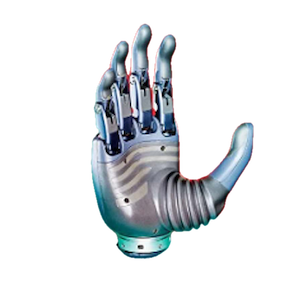
Getting Started with Revo 1
This page applies to Revo 1. Confirm your device and connection method, then use the desktop tool or SDK to establish the first connection.
1. Identify the device and interface
Use the specifications and protocol overview to determine whether the device is Revo 1 Basic or Revo 1 Advanced, then identify its touch configuration, communication interface, and adapter. Use the device's configured port, device ID, and communication rate. Do not copy parameters from another model or an example without checking them.
Tactile features and communication interfaces depend on the hardware variant and its protocol specification.
2. Choose an integration workflow
| Goal | Start here |
|---|---|
| Connect and debug with the desktop tool | Downloads → Desktop tool guide |
| Develop with Python | Get SDK → Python SDK |
| Develop with C/C++ | Get SDK → C/C++ SDK |
| Integrate Revo 1 Advanced | Advanced identification, examples, and APIs |
| Implement the protocol directly | Protocol overview, then select the specification for your hardware variant |
Before installing, check the system requirements in “Get SDK” and select dependencies and packages for your operating system, CPU architecture, and language version. Revo 1/2 examples use brainco-hand-sdk; Revo 3 uses a separate SDK.
3. Establish the first connection
- Follow the instructions for the selected device and interface to configure power, wiring, and the adapter.
- Configure the port, device ID, and communication rate in the desktop tool or SDK example.
- After connecting, check that the returned device information matches your hardware. Read the firmware version and record the connection parameters.
- Once the connection works, follow the corresponding guide to run a control example. Before running it, determine whether it drives the fingers and clear all people and obstacles from the hand's motion area.
4. Find examples and troubleshoot
- SDK installation and examples: installation instructions and Python and C/C++ example entry points.
- FAQ: checks for connection and usage issues.
- Firmware changelog: firmware changes.
For connection failures, record the device model, hardware and firmware versions, operating system, SDK version, adapter, communication parameters, and error logs. First check the power, wiring, and parameters against the device configuration.