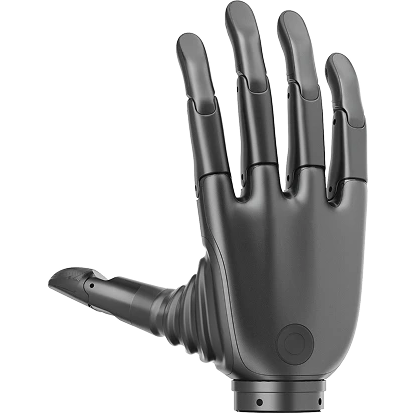
Python SDK - Revo 2 Dexterous Hand
System Requirements
- Linux: Ubuntu 20.04/22.04 LTS or above (supports x86_64 / aarch64 architectures. Note: The SDK dynamic library is compiled against a baseline of glibc 2.31, which is natively supported by the system without manual upgrades.)
- macOS: 10.15+
- Windows: 10/11
- Python: 3.9 ~ 3.12 (Conda recommended)
Quick Start
Clone Repository
shell
git clone https://github.com/BrainCoTech/brainco-hand-sdk.gitshell
git clone git@github.com:BrainCoTech/brainco-hand-sdk.gitInstallation and Configuration
shell
# Navigate to Python directory
cd brainco-hand-sdk/python

# Activate Conda environment (recommended)
conda activate py310

# Install SDK dependencies
pip install -r requirements.txt --index-url https://pypi.org/simple/

# If unable to install via PyPI, manually download and install the .whl file
# Download from: https://pypi.org/project/bc-stark-sdk/#files
pip install --force-reinstall '/path/to/bc_stark_sdk-x.x.x-cp39-abi3-manylinux_2_31_x86_64.whl'

# Configure serial port device permissions
# In Linux systems, serial devices (e.g., /dev/ttyUSB0) typically belong to the dialout user group
# Add current user to dialout group
sudo usermod -aG dialout $USER
# Note: You need to log out and log back in for this to take effect

# Run examples
cd revo2
python revo2_ctrl.py          # Single hand control
python revo2_touch.py         # Tactile sensor (tactile version)
python revo2_ctrl_multi.py    # Multi-hand control
python revo2_action_seq.py    # Action sequence
python revo2_cfg.py           # Device configuration
python revo2_dfu.py           # Firmware upgrade

# CANFD communication protocol (recommended unified entry)
cd ../demo
python hand_demo.py -f /dev/ttyUSB0 1000000 5000000 127  # ZQWL CANFD
python hand_demo.py -B can0 127                          # SocketCAN CANFD (Linux)
python hand_dfu.py /path/to/firmware.bin                 # Firmware OTA

# EtherCAT communication protocol
cd revo2_ethercat
python ec_sdo.py              # SDO read/configure
python ec_pdo.py              # PDO read joint status and control device
python ec_dfu.py              # Firmware OTA
shell
# Installation steps same as Ubuntu
# Note: macOS serial device names are typically /dev/tty.usbserial-xxx
# macOS does not support SocketCAN / EtherCAT; ZQWL CANFD can be used when supported by the adapter
shell
# If USB driver is not recognized, check serial port name in Device Manager
# Serial driver download: https://app.brainco.cn/universal/stark-serialport-prebuild/driver/CH340-drivers.zip

# Other installation steps same as Ubuntu
# Note: Windows serial device names are typically COM3, COM4, etc.
# Windows does not support EtherCAT communication protocol
Sample Code
SDK provides rich sample code covering different communication protocols and application scenarios.
Cross-Platform Examples (Recommended) ⭐
Unified cross-platform examples with automatic device detection and multi-protocol support.
| Example | Description |
|---|---|
| hand_demo.py | Comprehensive demo |
| hand_monitor.py | Real-time data monitoring |
| hand_dfu.py | Firmware upgrade |
Modbus-RTU Protocol
Single Hand/Dual Hand Control
- Single Hand Control Example
- Dual Hand Control (Dual Serial Port) - Use two serial ports to connect left and right hands separately
- Dual Hand Control (Single Serial Port) - Use a single serial port to connect left and right hands, default left hand ID=126, right hand ID=127
Tactile Sensor
Action Sequence (Gestures)
EtherCAT Protocol
EtherCAT Command Line Examples
shell
# Check EtherCAT version
# Recommended: igH EtherCAT Master 1.6.x (latest stable version)
❯ ethercat version
IgH EtherCAT master 1.6.6 1.6.6-5-g64899015

# Note: If your EtherCAT version is 1.5.x, please contact technical support
# SDK is compiled for 1.6.x by default, 1.5.x may have compatibility issues
❯ ethercat version
IgH EtherCAT master 1.5.3 1.5.3

# Check master status
❯ systemctl status ethercat

# Check device
❯ ethercat slave
0  0:0  PREOP  +  BrainCo-Revo2Slave

# SDO - Read firmware version
❯ ethercat upload -t string -p 0 0x8000 0x11  # Wrist FW version
0.0.4
❯ ethercat upload -t string -p 0 0x8000 0x13  # CTRL FW version
0.0.4

# PDO - Read joint position
❯ ethercat upload -t raw -p 0 0x6000 0x01 | xxd -r -p | od -An -t u2 --endian=little -w2

# Set permissions for Python program
sudo setcap cap_sys_nice,cap_net_raw=eip /path/to/miniconda3/envs/py310/bin/python3.10
About EtherCAT Version
- Recommended Version: igH EtherCAT Master 1.6.x (latest stable)
- SDK Compatibility: SDK is compiled for 1.6.x by default
- Version 1.5.x: If you're using 1.5.x, please contact technical support for compatible version
- Pure C++ Implementation: Recommended Pure C++ EtherCAT Examples (SDK-independent, uses EtherCAT library directly)
PDO Communication
SDO Communication
Firmware Upgrade
API Reference
For API lookup and code completion, use the complete type stub generated for bc-stark-sdk (v2.x): Download main_mod.pyi. The quick reference below covers the most commonly used APIs.
API Quick Reference
Connection Management (Recommended)
| API | Description |
|---|---|
libstark.auto_detect() | Auto-detect devices (all protocols) ⭐ |
libstark.init_from_detected() | Initialize from detected device ⭐ |
libstark.close_device_handler() | Close device connection (unified) ⭐ |
libstark.list_zqwl_devices() | List ZQWL CAN/CANFD devices ⭐ |
libstark.init_zqwl_canfd() | Initialize ZQWL CANFD device |
libstark.init_zqwl_can() | Initialize ZQWL CAN 2.0 device |
libstark.close_zqwl() | Close ZQWL device |
Connection Management (Legacy)
| API | Description |
|---|---|
libstark.get_sdk_version() | Get SDK version |
libstark.list_available_ports() | List available serial ports |
libstark.modbus_open() | Open Modbus connection |
libstark.modbus_close() | Close Modbus connection |
libstark.init_device_handler() | Create device handler |
device.close() | Close device connection |
libstark.auto_detect_device() | Auto-detect device (Modbus only) |
libstark.auto_detect_modbus_revo2() | Auto-detect Revo 2 device (Modbus only) |
Device Information
| API | Description |
|---|---|
device.get_device_info() | Get complete device information |
device.is_touch_hand() | Check if touch-enabled ⭐ |
device.uses_revo1_motor_api() | Check if uses Revo 1 Motor API ⭐ |
device.uses_revo2_motor_api() | Check if uses Revo 2 Motor API ⭐ |
device.uses_pressure_touch_api() | Check if uses Pressure Touch API ⭐ |
device.get_device_sn() | Get device serial number |
device.get_device_fw_version() | Get firmware version |
device.get_sku_type() | Get SKU type |
device.get_serialport_cfg() | Get serial port configuration |
device.get_canfd_baudrate() | Get CANFD baud rate |
device.set_serialport_baudrate() | Set baud rate |
device.set_slave_id() | Set slave ID |
Device Configuration
| API | Description |
|---|---|
device.get_force_level() | Get force level |
device.set_force_level() | Set force level |
device.get_auto_calibration_enabled() | Get auto-calibration status |
device.set_auto_calibration() | Set auto-calibration |
device.calibrate_position() | Manual position calibration |
device.get_turbo_mode_enabled() | Get turbo mode status |
device.set_turbo_mode_enabled() | Set turbo mode |
device.get_turbo_config() | Get turbo configuration |
device.set_turbo_config() | Set turbo configuration |
device.reset_default_gesture() | Reset to default gestures |
device.reset_default_settings() | Reset to default settings |
device.reboot() | Reboot device |
Motor Control - Position (Unified Range 0-1000)
| API | Description |
|---|---|
device.set_finger_position() | Set single finger position |
device.set_finger_position_with_millis() | Set position with duration ⭐ |
device.set_finger_position_with_speed() | Set position with speed ⭐ |
device.set_finger_positions() | Set all finger positions |
device.set_finger_positions_and_durations() | Set positions with durations ⭐ |
device.set_finger_positions_and_speeds() | Set positions with speeds ⭐ |
device.get_finger_positions() | Get all finger positions |
Motor Control - Speed (Unified Range -1000~+1000)
| API | Description |
|---|---|
device.set_finger_speed() | Set single finger speed |
device.set_finger_speeds() | Set all finger speeds |
device.get_finger_speeds() | Get all finger speeds |
Motor Control - Current (Unified Range -1000~+1000)
| API | Description |
|---|---|
device.set_finger_current() | Set single finger current |
device.set_finger_currents() | Set all finger currents |
device.get_finger_currents() | Get all finger currents |
Motor Control - PWM (Unified Range -1000~+1000) ⭐
| API | Description |
|---|---|
device.set_finger_pwm() | Set single finger PWM |
device.set_finger_pwms() | Set all finger PWMs |
Motor Status
| API | Description |
|---|---|
device.get_motor_status() | Get comprehensive motor status |
device.get_motor_state() | Get motor running state |
Motor Settings ⭐
| API | Description |
|---|---|
device.get_finger_unit_mode() | Get unit mode |
device.set_finger_unit_mode() | Set unit mode |
device.get_all_finger_settings() | Get all finger settings |
device.get_finger_settings() | Get single finger settings |
device.set_finger_settings() | Set single finger settings |
device.get_finger_min_position() | Get minimum position limit |
device.set_finger_min_position() | Set minimum position limit |
device.get_finger_max_position() | Get maximum position limit |
device.set_finger_max_position() | Set maximum position limit |
device.get_finger_max_speed() | Get maximum speed limit |
device.set_finger_max_speed() | Set maximum speed limit |
device.get_finger_max_current() | Get maximum current limit |
device.set_finger_max_current() | Set maximum current limit |
device.get_finger_protected_current() | Get protected current |
device.set_finger_protected_current() | Set protected current |
device.get_finger_protected_currents() | Get all protected currents |
device.set_finger_protected_currents() | Set all protected currents |
device.get_thumb_aux_lock_current() | Get thumb aux lock current |
device.set_thumb_aux_lock_current() | Set thumb aux lock current |
Touch Sensors
| API | Description |
|---|---|
device.get_touch_sensor_enabled() | Get touch sensor enabled status |
device.get_touch_sensor_fw_versions() | Get touch sensor firmware versions |
device.get_touch_sensor_raw_data() | Get touch raw data |
device.get_touch_sensor_status() | Get touch sensor status |
device.get_single_touch_sensor_status() | Get single sensor status |
device.touch_sensor_setup() | Setup touch sensors |
device.touch_sensor_reset() | Reset touch sensors |
device.touch_sensor_calibrate() | Calibrate touch sensors |
Modulus Touch Sensors ⭐
| API | Description |
|---|---|
device.set_modulus_touch_data_type() | Set data type |
device.get_modulus_touch_data_type() | Get data type |
device.get_modulus_touch_summary() | Get touch summary |
device.get_single_modulus_touch_summary() | Get single finger summary |
device.get_modulus_touch_data() | Get detailed touch data |
device.get_single_modulus_touch_data() | Get single finger data |
Force3D Touch Sensors ⭐
| API | Description |
|---|---|
device.get_force3d_touch_summary() | Get 4-finger force summary (FxFyFz) |
device.get_force3d_finger_array() | Get full array data for single finger (31 channels) |
ArrayPressure Sensors ⭐
| API | Description |
|---|---|
device.get_array_pressure_touch_data() | Get full array pressure data |
device.set_array_pressure_sleep() | Set array sensor sleep status |
High-Performance Data Collection ⭐
| API | Description |
|---|---|
DataCollector.new_basic() | Create basic collector (motor only) |
DataCollector.new_capacitive() | Create capacitive touch collector |
DataCollector.new_pressure_summary() | Create pressure summary collector |
DataCollector.new_pressure_detailed() | Create pressure detailed collector |
DataCollector.new_pressure_hybrid() | Create hybrid mode collector |
DataCollector.new_force3d() | Create Force3D collector |
DataCollector.new_array_pressure() | Create ArrayPressure collector |
DataCollector.new_v3_basic() | Create Revo3 collector (motor only) |
DataCollector.new_v3_full() | Create Revo3 full collector |
collector.start() | Start data collection |
collector.stop() | Stop data collection |
collector.wait() | Wait for collection thread |
collector.is_running() | Check if running |
MotorStatusBuffer | Basic motor status buffer |
TouchStatusBuffer | Capacitive touch status buffer |
PressureSummaryBuffer | Pressure summary buffer |
PressureDetailedBuffer | Pressure detailed buffer |
V3MotorStatusBuffer | Revo3 motor status buffer |
V3TouchDataBuffer | Revo3 touch data buffer |
Force3DTouchDataBuffer | Force3D properties buffer |
ArrayPressureTouchDataBuffer | ArrayPressure buffer |
LED, Buzzer, Vibration ⭐
| API | Description |
|---|---|
device.get_led_enabled() | Get LED enabled status |
device.set_led_enabled() | Set LED enabled status |
device.get_buzzer_enabled() | Get buzzer enabled status |
device.set_buzzer_enabled() | Set buzzer enabled status |
device.get_vibration_enabled() | Get vibration enabled status |
device.set_vibration_enabled() | Set vibration enabled status |
Action Sequences
| API | Description |
|---|---|
device.get_action_sequence() | Get action sequence |
device.transfer_action_sequence() | Upload action sequence |
device.save_action_sequence() | Save action sequence to flash |
device.run_action_sequence() | Execute action sequence |
device.clear_action_sequence() | Clear custom action sequence |
EtherCAT Specific ⭐
| API | Description |
|---|---|
device.ec_setup_sdo() | Setup SDO |
device.ec_reserve_master() | Reserve master |
device.ec_start_loop() | Start cyclic loop |
device.ec_stop_loop() | Stop cyclic loop |
device.ec_start_dfu() | Start firmware upgrade |
Firmware Upgrade
| API | Description |
|---|---|
device.start_dfu() | Start firmware upgrade |
Communication Callbacks
| API | Description |
|---|---|
libstark.set_modbus_read_holding_callback() | Set Modbus read holding callback |
libstark.set_modbus_read_input_callback() | Set Modbus read input callback |
libstark.set_modbus_write_callback() | Set Modbus write callback |
libstark.set_can_rx_callback() | Set CAN RX callback |
libstark.set_can_tx_callback() | Set CAN TX callback |
⭐ Indicates Revo2-specific or enhanced features