Download Center
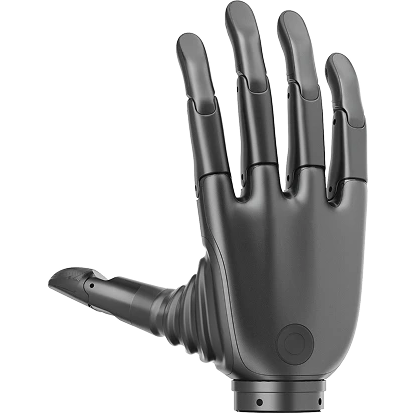
This page collects development resources, simulation assets, and firmware packages for the Revo 2 dexterous hand.
⚠️ Flange Mounting & Integration Warning
Important: The screw hole depth for the wrist flange connection on the Revo 2 Pro and Touch editions is 3.5 mm. To prevent structural compression damage to the internal multi-layer PCB, ensure that mounting screws are inserted no deeper than 3 mm into the wrist end.
💾 Firmware Downloads
Please select the latest binary packages matching your dexterous hand hardware version:
1. Revo 2 Basic
⚠️ Basic Edition Protocol & Upgrade Guidance
- Interface Select: The Basic Edition toggles between CAN FD and RS-485 serial communication using the physical DIP switches situated below the wrist.
- Compatibility Limit: Firmware versions V0.0.14 and earlier cannot be flashed directly. Please contact our support team or submit a ticket to avoid device lockups.
2. Revo 2 Pro
- 📥 485 / CAN FD General Firmware_V1.0.22U
- 📥 EtherCAT / CAN FD General Wrist Plate Firmware_V1.0.0.P
- 📥 EtherCAT / CAN FD General Control Plate Firmware_V1.0.22F
3. Revo 2 Touch
- 📥 485 / CAN FD General Firmware_V1.0.22U
- 📥 EtherCAT / CAN FD General Wrist Plate Firmware_V1.0.0.F.1
- 📥 EtherCAT / CAN FD General Control Plate Firmware_V1.0.22F
⚠️ Pro & Touch Protocol Select
- Interface Toggling: Pro and Touch versions use the hardware DIP switches located under the wrist to select between EtherCAT and RS-485 Modbus RTU communication protocols.
- Firmware Safety: Due to onboard multi-axis tactile stream calculations, please verify hardware mappings with our technical engineers before executing a DFU upgrade.
4. Legacy CAN 2.0 Compatibility
📞 Contact for Support & Purchase
If you have any technical questions, integration questions, or customized/bulk purchase requirements, contact the BrainCo Dexterous Hand Technical Support Team, or submit a support ticket through the page help entry.