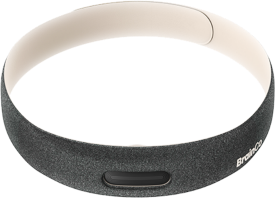
Flutter
liboxyz 1.31.8 uses Android JNA 1.5.5 and iOS/desktop native 1.5.5.
This standard 1.x release requires no .lic initialization. Projects retaining liboxyz 1.31.6 with ZenLiteSDK 1.5.2 can refresh the corrected native artifact using the iOS guide, without upgrading the Flutter package solely for this correction.
🚀 Getting Started
Hardware Connection Guide
Before starting your development, please check out our FAQ for details on turning the device on/off, understanding the LED indicators, and device pairing procedures across all platforms: Device Setup & FAQ.
System Requirements
Since Flutter relies on cross-compiling multiple native engines under Dart VM, your toolchain must be able to compile the native hybrid architecture:
- Framework: Flutter 3.19.0 or higher.
- Dart Version: Dart 3.0 or higher.
- Native OS Targets Requirements:
- iOS 14.0+ (You must explicitly disable Bitcode)
- Android 5.0+ (API Level 21 or higher)
- macOS 12.3+
- Windows 10 build 10.0.15063 or higher
Installation
Unlike installing separate native SDKs manually, the Flutter plugin bridges the native logic via MethodChannels, allowing you to fetch everything via Dart's pub package manager directly.
1. Configure Private Pub Repository Access
The packages are hosted on a private registry, so you need to authenticate your local environment first:
# 1. Login to our GitLab portal (https://dart-pub.brainco.cn)
#    Account: <account>
#    Password: <password>
# 2. Add the token to your local environment variables
dart pub token add https://dart-pub.brainco.cn --env-var TOKEN_PUB
Need more help configuring private Dart environments? Check the Dart guide: Dart Pub-Token.
2. Update pubspec.yaml
Import the correct backend library wrapper in your project's pubspec.yaml dependencies list:
dependencies:
  liboxyz:
    version: 1.31.8
    hosted:
      name: liboxyz
      url: https://dart-pub.brainco.cn
Run flutter pub get after saving to fetch the packages.
Core API Reference
BciDeviceManager (App-level initialization)
Before querying devices, initialize the SDK and register the necessary handlers:
import 'package:liboxyz/liboxyz.dart';

// (Optional) Turn on core engine logs during dev
await AppLogger.init(level: Level.INFO);

// Register Zenlite plugin
await BciDevicePluginRegistry.init({
  ZenlitePluginRegistry(),
});

// Configure algorithms to subscribe to
BciDeviceConfig.setAvailableModes({
  BciDeviceDataMode.attention,    // Subscribes to the attention algorithm
  BciDeviceDataMode.meditation,   // Subscribes to the meditation algorithm
  BciDeviceDataMode.eeg,          // (Optional) Required if you want raw EEG float channels
  BciDeviceDataMode.ppg,          // (Optional) Required if you want raw PPG arrays
});

// Initialize the SDK
await BciDeviceManager.init();
BleScanner (Device Scanning)
Used to scan for nearby devices.
// Start scanning
await BleScanner.instance.startScan();

// Stop scanning (always call this to save battery)
await BleScanner.instance.stopScan();

// Listen for discovered devices
BleScanner.instance.onFoundDevices.listen((devices) {
  for (var device in devices) {
    print('Found: ${device.name}, Signal Strength: ${device.rssi} dBm');
  }
});
BciDeviceProxy (Device Data Pipeline)
Manages attributes, bindings, and active queries connected to a single hardware peripheral. Most of your app's frontend logic will interact with this Proxy object.
// ===== Bonding Connections =====

// Bind the selected device
await BciDeviceManager.bindScanResult(scanResult);

// Unbind and disconnect
await BciDeviceManager.unbind();

// ===== Hardware Properties =====
BciDeviceProxy.instance.id              // Device MAC/UUID string
BciDeviceProxy.instance.name            // Broadcast identifier
BciDeviceProxy.instance.state           // BciDeviceState enums mapping interaction progress
BciDeviceProxy.instance.attention       // Latest attention algorithm snapshot
BciDeviceProxy.instance.meditation      // Latest meditation algorithm snapshot

// ===== Callbacks and Broadcast Channels =====

// States
BciDeviceProxy.instance.onBatteryLevelChanged.listen((level) { ... });
BciDeviceProxy.instance.onStateChanged.listen((state) { ... });

// High-speed Data Matrices
BciDeviceProxy.instance.onEEGData.listen((eeg) { ... });       // Noise-filtered EEG packets
BciDeviceProxy.instance.onRawEEGData.listen((eeg) { ... });    // Raw unfiltered EEG arrays
BciDeviceProxy.instance.onBrainWave.listen((wave) { ... });    // Separated frequency bands

// Analyzed Indicators
BciDeviceProxy.instance.onAttention.listen((attention) { ... });
BciDeviceProxy.instance.onMeditation.listen((meditation) { ... });
Sensor Operations (Platform Dependent)
Triggering specific hardware commands (like tuning IMUs or EEG paths) requires checking if the bound proxy matches the expected class:
final device = BciDeviceManager.bondDevice;

// If we are definitely talking to a Zenlite model hardware
if (device is ZenliteDevice) {
  // EEG flow logic
  await device.startEEG();
  await device.stopEEG();

  // IMU mode flows
  await device.startIMU();
  await device.stopIMU();

  // You can listen specifically to IMU mappings natively bound to the Zenlite proxy
  device.onImuData.listen((imu) {
    print('ACC X: ${imu.acc.x[0]}, ACC Y: ${imu.acc.y[0]}, ACC Z: ${imu.acc.z[0]}');
  });
}
Data Models
Status Enums
enum BciDeviceState {
  disconnected,
  connecting,
  connected,
  contacting,         // Checking contact status
  contactUpsideDown,  // Upside down
  contacted,          // Contact good
  analyzed            // Analyzing algorithm data
}
Sensor Packages
class EEGModel {
  final int seqNum;       // Sequence number
  final List<double> eeg; // EEG data array
}

class BrainWaveModel {
  late double delta;     // 0.5-4 Hz
  late double theta;     // 4-8 Hz
  late double alpha;     // 8-13 Hz
  late double lowBeta;   // 13-20 Hz
  late double highBeta;  // 20-30 Hz
  late double gamma;     // 30-50 Hz
}

class ImuModel {
  final int seqNum;
  final AccModel acc;           // Accelerometer vectors wrapped in AccModel
  final GyroModel? gyro;        // Gyroscope vectors
  final EulerAngleModel? eulerAngle;
}
PPG Models
class PpgModel {
  final int seqNum;
  final double reportRate;
  final List<PpgRawData> rawData;   // Raw PPG optical data
  final List<PpgAlgoData> algoData; // Algorithm indicators
}

// Resulting conclusions
class PpgAlgoData {
  final double hr;        // Heart rate (bpm)
  final int hrConf;       // Heart rate confidence (0-100%)
  final double spo2;      // SpO2 Saturation percentage
  final int spo2Conf;     // SpO2 confidence (0-100%)
  final SpO2State spo2State;
  final PpgContactState ppgContactState;
}
Troubleshooting & Best Practices
Connection Problems
If you're having trouble discovering or connecting to the device, be sure to check the global troubleshooting section: 👉 Device Setup & FAQ
Flutter Environmental Permission Policies
Exception Warnings Regarding Android SDK Permission Versions: Since Dart interacts with kernel APIs via MethodChannels, extreme care is necessary when isolating access demands on Mobile platforms:
- Plugin Version Conflicts: In older Flutter apps, if you encounter
PermissionHandlerbuild conflicts, do not forcefully downgrade the plugin. Android 12+ and modern iOS have strict environment audits for Bluetooth. Relying on an outdated permission handler might pass build tests, but it will crash on modern phones or get your application rejected during App Store reviews. - Android Background Retention: When your Flutter app moves to the background, the system can halt your Dart engine streams. If you intend to use Bluetooth while the app is in the background, you must configure Android Native Foreground Services bound with persistent OS-level notification bars. Without this, your method channels will stop receiving data.
📖 Complete Integration Example
The API references above describe the tools available for cross-platform development. For a complete working example, browse our open-source showcase app.
The app demonstrates state management with SDK callbacks and clean separation of rendering from Bluetooth operations.
Explore the full codebase here: